
AI-assisted UX audit
An AI-assisted UX audit, delivered as a product
For startups with a live app or SaaS product. AI agents audit it end to end: UX, UI, design system, accessibility, motion, copy and handoff. A senior designer judges every finding. You get an interactive product, not a PDF, that tells your team which issue to fix first and when.
What is a UX audit?
A UX audit is a structured review of a digital product that finds where people get stuck, where the interface is inconsistent and where the design and the code have drifted apart. Each finding is tied to a specific screen or flow, rated by severity, and paired with a recommendation, so the team knows what to fix first and why.
Ours is AI-assisted and delivered as a product. AI agents do the checking across the whole product, every screen, token, transition and contrast pair, which no person could do by hand in the same time. A senior designer decides what matters. It covers the live product and, when you have one, the Figma file behind it.
What do we check?
- UX: user flows, navigation, information architecture, usability and hierarchy.
- UI consistency: the same thing looking and behaving the same way everywhere.
- Design system and tokens: raw values that should be tokens, components, missing states and naming hygiene in Figma.
- Accessibility: contrast, touch targets, focus and reduced motion, against WCAG AA.
- Copy: labels, errors, empty states and onboarding text.
- Motion: durations and easing against your motion tokens, and transitions that help or get in the way.
- Dev handoff: how cleanly specs land in Cursor and in your engineering team's hands.
How does an AI-assisted UX audit work?
AI does the legwork. A designer makes every call. It is the same human-in-the-loop process we use across all our design work.
-
01
Map
AI lists every surface and user flow in the product.
Designer ranks the flows by how much they matter, core value loop first.
-
02
Check
AI runs the token audit, the motion audit, accessibility checks and a copy review.
Designer walks the product end to end and reviews it by hand.
-
03
Judge
AI drafts each finding with its context and evidence.
Designer keeps, rewrites or drops every one, and sets its severity.
-
04
Prioritise and hand over
AI places findings on a value and effort matrix, writes them as tasks and builds the report from one source of truth, so nothing silently drops.
Designer orders the plan, records the walkthrough and talks your team through it.
Why deliver an audit as a product?
Most audits end as a long PDF of problems, and the team is left to work out where to start. We deliver ours as a product: one interactive file the team opens, searches and filters, built from a single source so every finding is counted and none drops out.
It answers the question that matters after an audit: what do we fix first, and when?
- Start here: the five highest-impact fixes, picked by a designer.
- Now (0 to 30 days): quick wins and trust fixes.
- Next (30 to 90 days): the priority sprint.
- Later (90 days and on): the bigger bets.
What you get
- Prioritised findings. Each one has context, the problem, a recommendation and evidence, rated from critical to low.
- An interactive report. One file with search, filters, a value and effort matrix, and a now, next, later plan. Not a PDF.
- A video walkthrough your team can watch when it suits them.
- Fix-ready tasks, written so a designer or developer can pick one up without a meeting.
Example
The Echopod UX audit
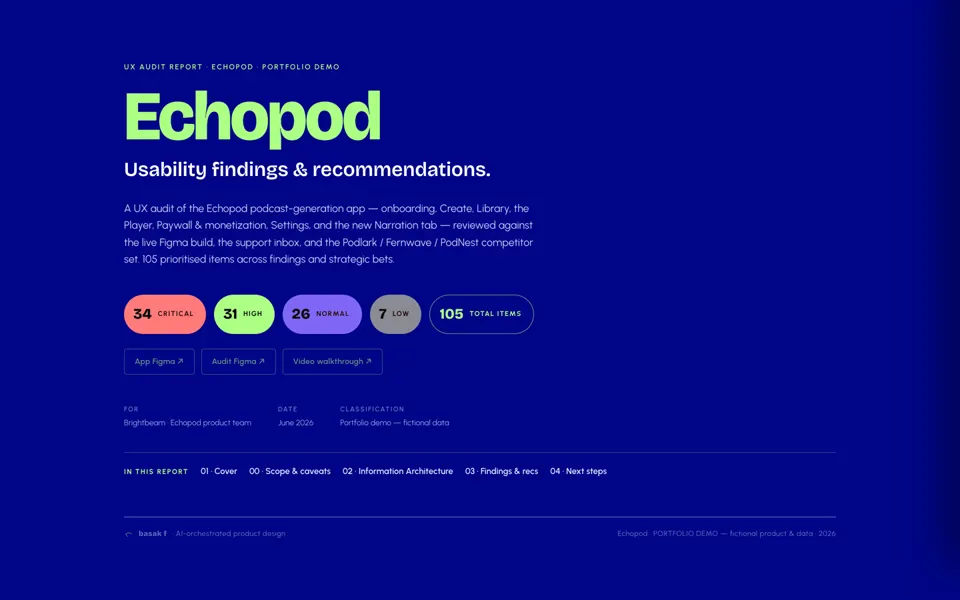
Echopod is fictional: a real client audit, anonymised end to end, with the same structure and process and invented names and numbers. It shows the full report, from scope and caveats to the findings matrix and the plan. Read the Echopod case study or watch the walkthrough on YouTube.
FAQs
How long does a UX audit take?
Usually two to three weeks, depending on how many surfaces and flows the product has. We agree the scope before we start.
What do you need from us?
Access to the live product or a test build, your Figma file if you have one, and a short call about your goals. A conversation with one of your engineers helps us judge the handoff.
Can you fix what you find?
Yes, as a follow-on project. The audit ends with a plan your team can run on its own, or we can take on the fixes in Figma and in code through our design systems and design engineering work.
Do you audit the Figma file or the live product?
Both. The live product shows what users actually meet. The Figma file shows whether the system behind it holds up. Where they disagree, that gap becomes a finding too.


Send us your messiest brief.
Senior design, sped up by AI, decided by people.