
UI/UX design
The UI UX design studio for startups that need to ship
Mobile app and web app UI/UX design, end to end. We take a product from research to a dev-ready prototype your developers can build from, with AI doing the legwork and a designer making every call.
What does a UI/UX design studio do?
A UI/UX design studio designs how a digital product works and how it looks. UX is the structure: research, user flows, information architecture and the decisions behind each screen. UI is the surface: layout, type, colour, components and motion. A good studio does both in one loop, so the look never fights the logic.
Libre Studio is a remote product design agency for startups. We design products end to end, on atomic design foundations, so the app, the marketing site and the motion all grow from one system.
What we design
Apps
- Mobile apps
- iOS and Android products, from the first screen to the last state.
- Web apps
- Signed-in products that people use every day.
Data
- SaaS dashboards
- Stat cards, charts, tables and navigation that stay readable as data grows.
Web
- Websites
- Marketing sites and landing pages built on the same tokens as the product.
Moments that decide
- Onboarding
- Setup that shows value before it asks for anything.
- Paywalls
- Offers that arrive at the right moment, in plain words.
How do we work, from research to prototype?
The same four steps on every project. Inside the design step, our AI cycle runs seven gates: AI turns research into sourced findings, prototypes from the specs and tokens, and runs design QA, and a designer approves every gate. See the full cycle.
Strategy
A kickoff call, then time, budget and milestone estimates, and a small demo task before anything is signed.
Design
UX, UI and prototyping in one loop, with AI in the workflow and QA before every handoff.
Development
A token-strict Figma file your developers build from, or a no-code build when that ships faster.
Measure & Optimise
A post-project review, then test, measure and optimise what is live.
Lula: AI bedtime stories
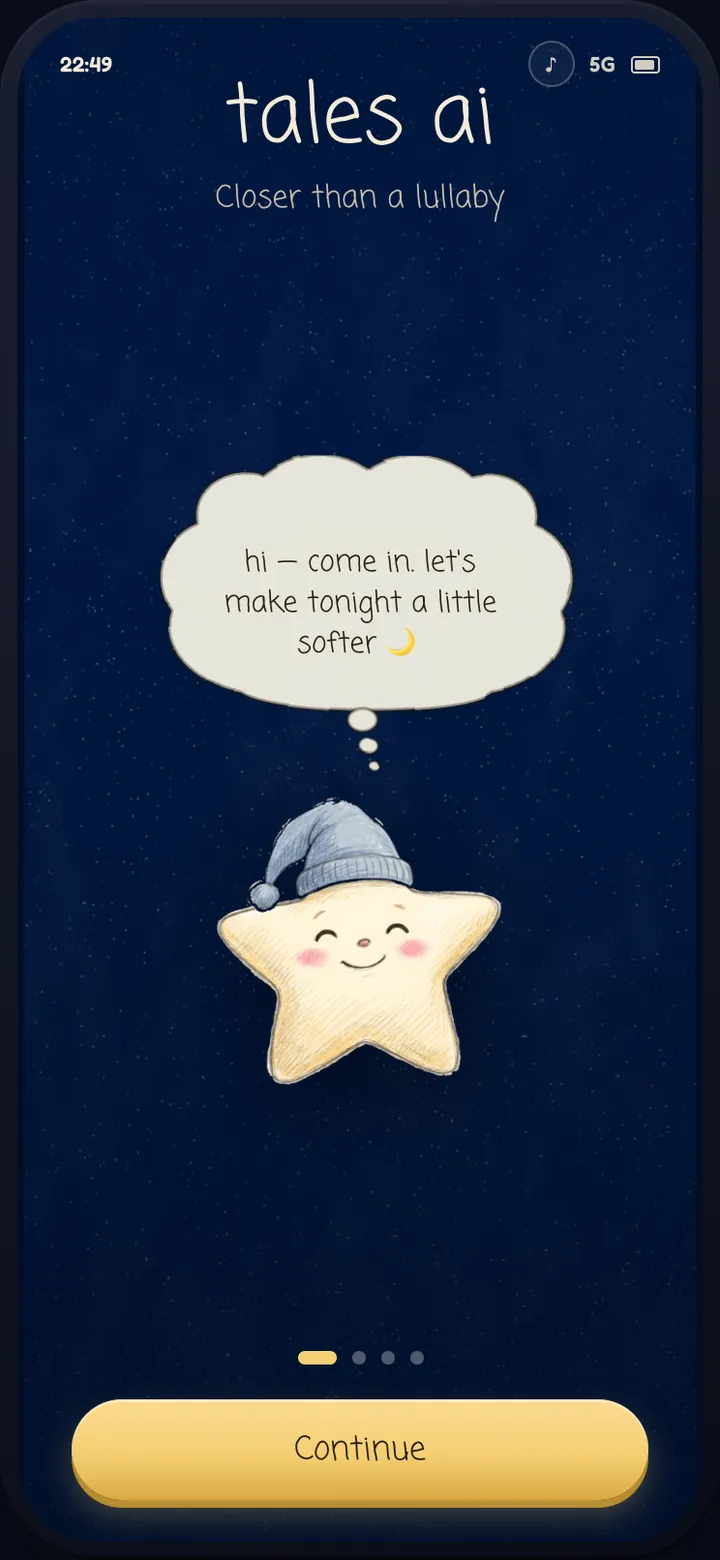
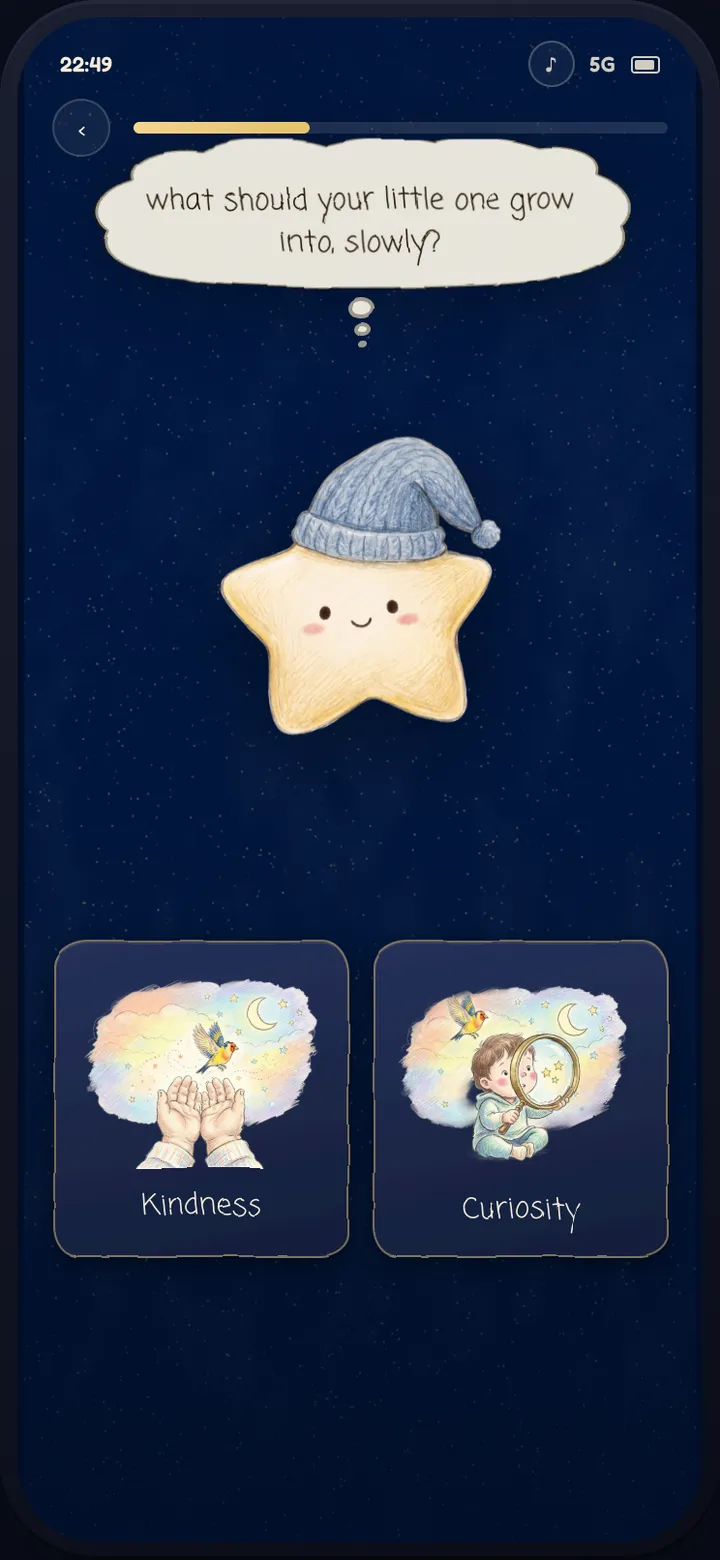
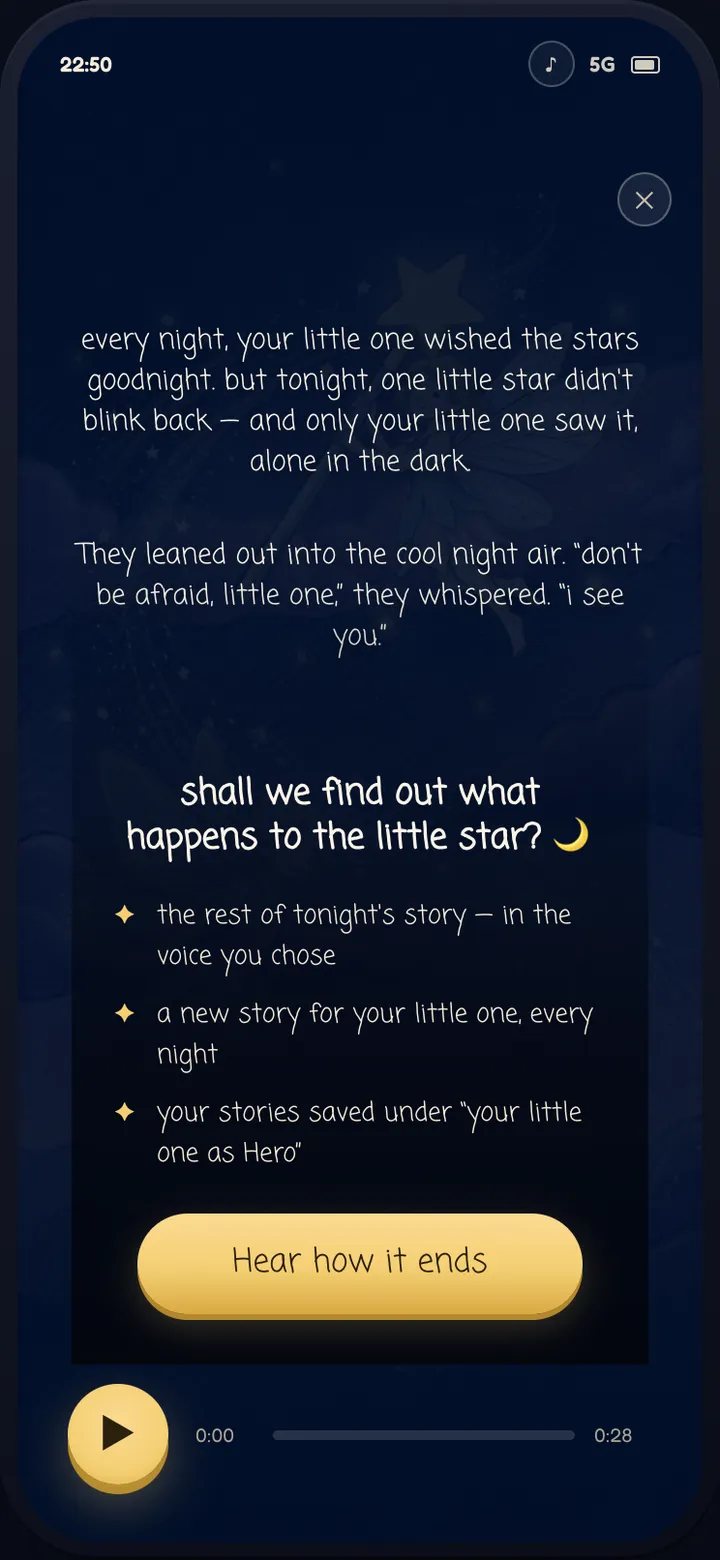
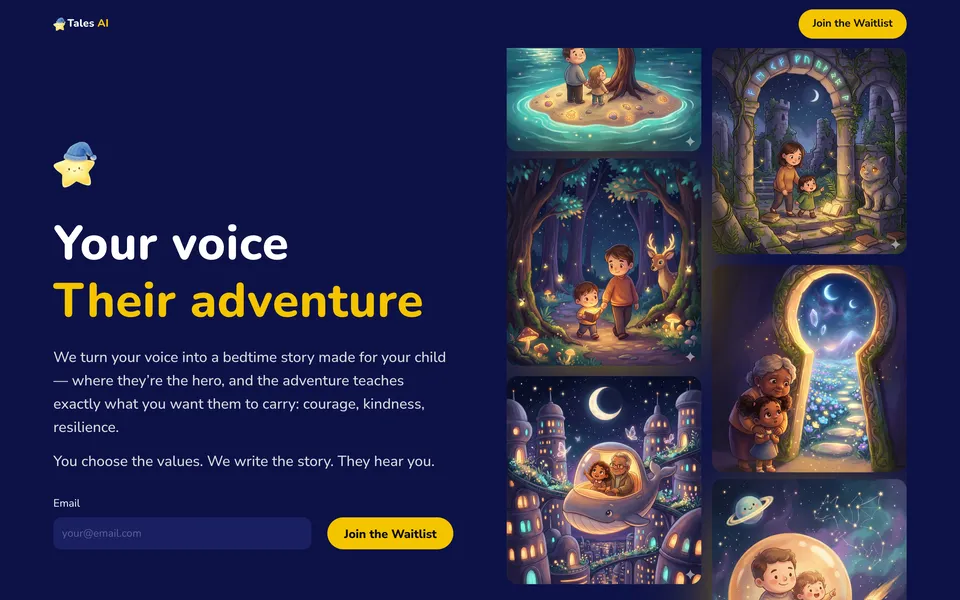
An iOS app we designed end to end for Horus Studios: research synthesis, six specced flows, wireframes, prototypes and a design system with 137 tokens. Onboarding tells the first personalised story before the paywall, which arrives mid-story: "Hear how it ends". On the App Store since September 2026.
MONA AI: photo and video studio
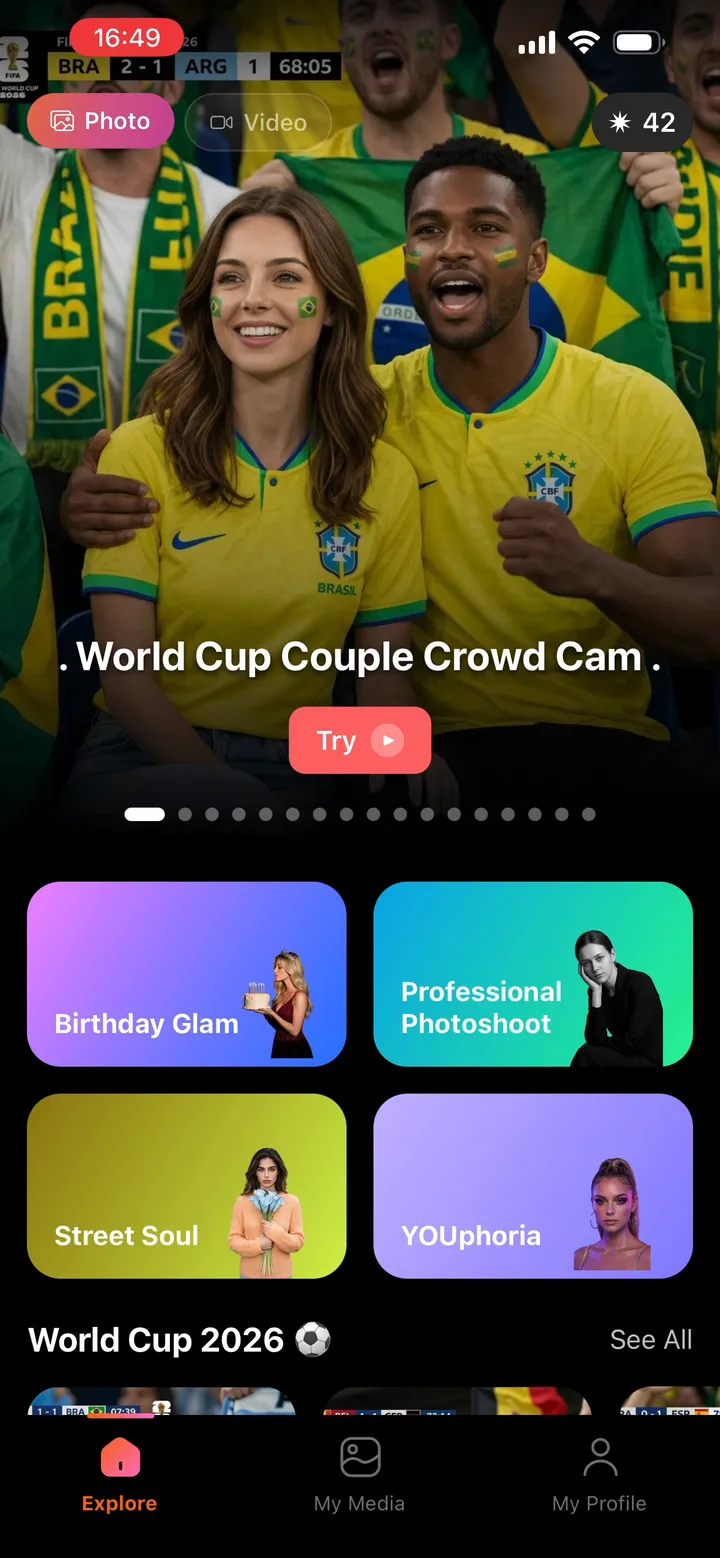
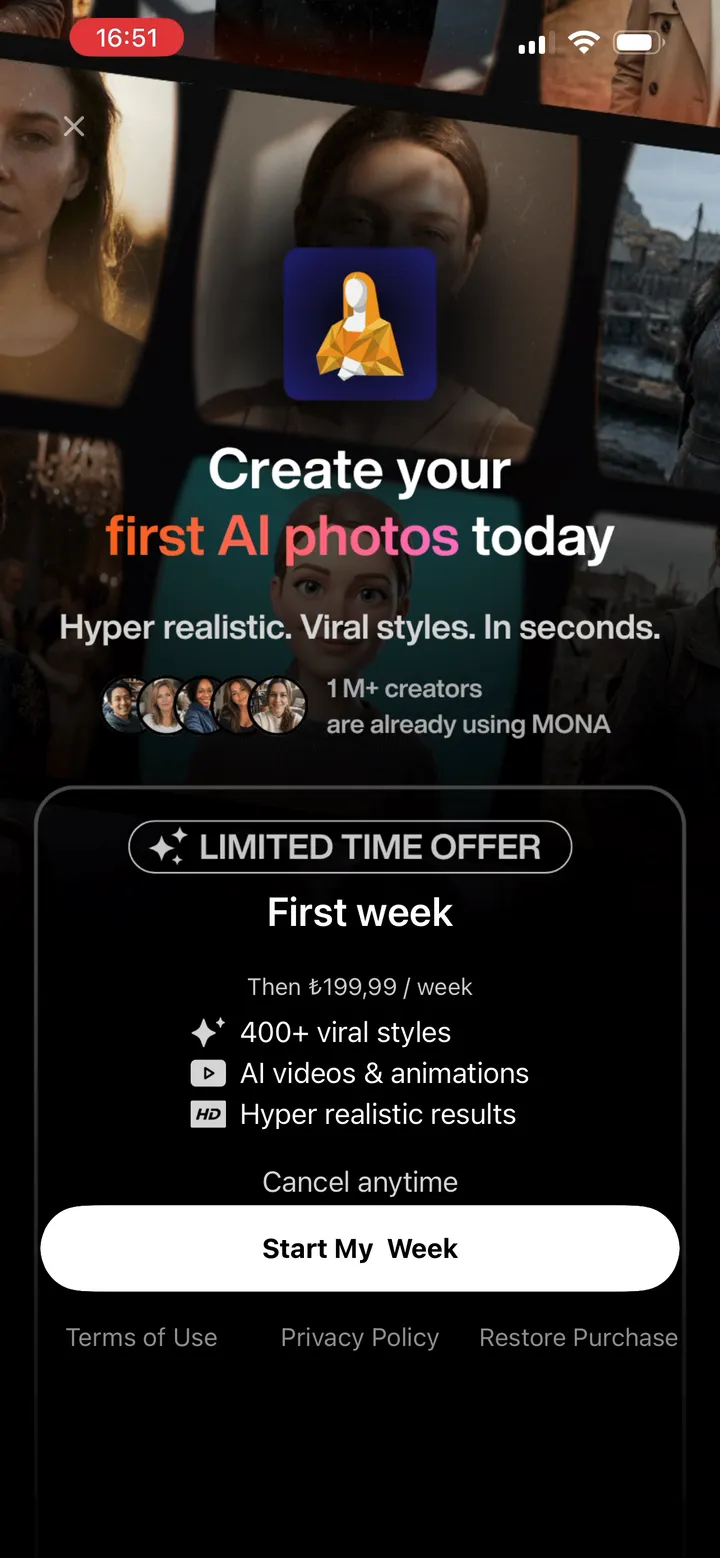
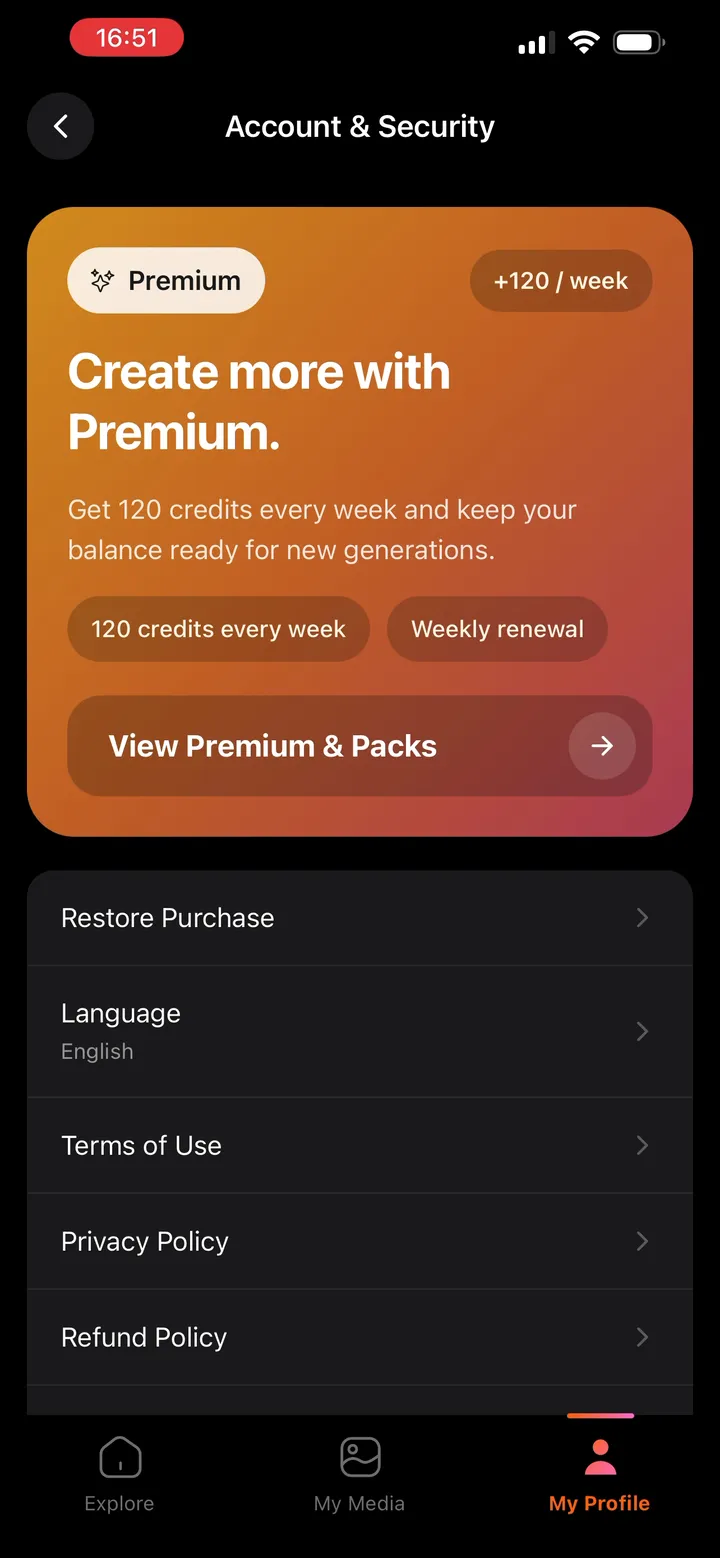
An iOS app for Horus Studios, designed end to end including the motion. The explore screen leads with styles, photo guidance comes before upload, and the paywall sells the first result. Launched on the App Store in April 2026, with eight releases up to version 3.0 by October 2026.
What you get
- Research and a brief: sourced findings and an agreed scope before any screen is drawn.
- Specced user flows with every state: empty, loading, error, success.
- A token-strict Figma file, named the same as your code.
- A clickable prototype to test and share before a line is built.
- Developer handoff your team can use in Cursor, plus a round of questions and answers.
Need the build too? See design engineering. Already live? Start with a UX audit.
FAQs
Do you design both mobile apps and web apps?
Yes. Mobile apps, web apps, SaaS dashboards and websites, often from one design system so they stay consistent.
Can you start from an idea with no designs yet?
Yes. Lula started with research and an MVP brief. We turn a messy idea into a scope, flows and a prototype.
How do you use AI in UI/UX design?
For the legwork: research synthesis, token checks, QA and handoff notes, in Claude Code, Figma Make and Claude Design. Every design decision stays with a designer. See how we work with AI.
How do I start?
Book a call and bring the brief, however messy. If we are a fit, you get time, budget and milestone estimates, then a small demo task.

Send us your messiest brief.
Senior design, sped up by AI, decided by people.